21 Brotherhood of Light Courses eBook
by C. C. Zain
For PC and Mac.
This is the new CD-ROM eBook version of our full set of 21 Brotherhood of Light Courses eBook.
It is a PDF-format eBook that you can read and search with Adobe Reader.
At this time it is not compatible with iPads, nooks or other mobile eBook readers. We are working on this and it will have this capability soon.
This is the newest version of our most popular original-version CD-ROM containing all of the Brotherhood of Light books by C. C. Zain - over 7000 pages!
Unlike the older version CD-ROM, this new eBook now contains all of the illustrations, tables and birth charts.
It also now contains headers and footers, like the print version books, so you always know what book, chapter and page you're in when doing searches.
It is fully indexed to make searching fast and convenient.
Installation instructions for both PC and Mac are included with the CD-ROM, or see the installation instructions below.
The Brotherhood of Light PDF-format eBooks are encrypted using FileOpen Publisher3.
To access your eBook after downloading and installing it on your computer, you will have to unlock the eBook using your
Registration PDF that will be emailed to you from The Church of Light.
You can read, annotate, cut & paste and print your BofL eBook.
You can install this eBook on up to three different computers, but you must open your Registration PDF on each computer.
Your CD-ROM will also contain a document entitled “How to Use this eBook” which will help you get the most out of your eBook.
We recommend that you read this document.
For Windows users, the CD_ROM contains a setup program (Setup.exe) that will automatically install your eBook and the FileOpen Adobe Reader plug-in on your computer.
Then all you have to do is open the Registration PDF that is emailed to you from The Church of Light.
Windows PC Installation Instructions:
1. If you do not have Adobe Reader on your computer, then go to http://get.adobe.com/reader/ and download and install it.2. Insert the CD into your computer and run the Setup.exe program. This will install the eBook and the FileOpen Adobe Reader plug-in.Before you can open and read your eBook, you must open the Registration PDF emailed to you from The Church of Light.
MacInstallation Instructions:
1.If you do not have Adobe Reader on your computer, then go to http://get.adobe.com/reader/ and download and install it.
Insert CD into your computer to load the CD-ROM and display its contents.
Copy the 21 Brotherhood of Light Courses eBook PDF file to your desktop or other folder of your choice.
You should also copy the file How to Use this eBook, which will help you get the most out of your new eBook.
Finally, to unlock your new eBook, open the Registration PDF that was emailed to you from The Church of Light.
The Registration PDF file is attached to the email.
Installation instructions are in a file in the zipped download (and on the CD-ROM) entitled “How to Install this eBook on your Mac”.
21 Brotherhood of Light Courses eBook by C. C. Zain
For PC and Mac.
This product is downloadable. It is the download version of our full set of 21 Brotherhood of Light Courses eBook.
It is a PDF-format eBook that you can read and search with Adobe Reader.
At this time it is not compatible with iPads, nooks or other mobile eBook readers. We are working on this and it will have this capability soon.
This is the newest version of our most popular original-version CD-ROM containing all of the Brotherhood of Light books by C. C. Zain - over 7000 pages!
Unlike the older version CD-ROM, this new eBook now contains all of the illustrations, tables and birth charts. It also now contains headers and footers, like the print version books, so you always know what book, chapter and page you're in when doing searches. It is fully indexed to make searching fast and convenient.
This is a download item.
If you need to order a physical CD of the 21 Brotherhood of Light Courses eBook, go to the CD-ROM version in the store.
Installation instructions for both PC and Mac are included with the downloadable zip file and on the CD-ROM, or see the installation instructions below.
The Brotherhood of Light PDF-format eBooks are encrypted using FileOpen Publisher3.
To access your eBook after downloading and installing it on your computer, you will have to unlock the eBook using your Registration PDF that will be emailed to you from The Church of Light.
You can read, annotate, cut & paste and print your BofL eBook.
You can install this eBook on up to three different computers.
For Windows users, the download is a zip (compressed) file that contains a setup program (Setup.exe) that will automatically install your eBook and the FileOpen Adobe Reader plug-in on your computer. Then all you have to do is open the Registration PDF that is emailed to you from The Church of Light. Mac users should see the installation instructions below.
The zip file you download also contains a document entitled “How to Use this eBook” which will help you get the most out of your eBook.
We recommend that you read this document.
How to download your eBook after purchase:
When you purchase your new eBook, you will be sent an email purchase receipt. This purchase-receipt email will contain a link to the download site. Just click on the link and save the zip file to your desktop. Your Registration PDF will be emailed separately from The Church of Light.
Installation Instructions – Windows PC:
1.If you do not have Adobe Reader on your computer, then go to http://get.adobe.com/reader/ and download and install it.
2.Depending on whether you downloaded the zip file or ordered the CD-ROM:
a.Open the zip file and double-click (run) the Setup.exe program.
This will install the eBook and the FileOpen Adobe Reader plug-in.
b.Or load the CD-ROM and run the Setup.exe program to install the eBook and the FileOpen Adobe Reader plug-in
3.Before you can open and read your eBook, you must open the Registration PDF emailed to you from The Church of Light.
Installation Instructions – Mac
1.If you do not have Adobe Reader on your computer, then go to http://get.adobe.com/reader/ and download and install it.
3.Depending on whether you downloaded the zip file or ordered the CD-ROM:
a.Open the zip file to display the contents or unzip it to a folder of your choice
b.Or load the CD-ROM to display its contents;
4.Copy the 21 Brotherhood of Light Courses eBook PDF file to your desktop or other folder of your choice.
You should also copy the file How to Use this eBook, which will help you get the most out of your new eBook.
5.Finally, to unlock your new eBook, open the Registration PDF that was emailed to you from The Church of Light.
The Registration PDF file is attached to the email and entitled
There is also a file in the zipped download (and on the CD-ROM) entitled “How to Install this eBook on you Mac” with the same installation instructions as above.
Laws of Occultism -
Inner Plane Theory and the Fundamentals of Psychic Phenomena
by C.C. Zain
For PC and Mac.
$9.95
The word occult means hidden or unseen. This book focuses on the study of the unseen energies affecting every person's life. The reader will come to understand how the concept "character is destiny" is at the basis of all events attracted into the life. By learning about these energies and learning how to work within the boundaries of these undeviating natural laws, one may exercise more control over the amount of success, happiness and prosperity that will be attracted.
In this course various types of psychic phenomena are examined and explained. The nature of the inner plane and how it affects human life and activities is revealed.
Chapters (Serial lesson #):
(39) Occult Data
(40) Astral Substance;
(41) Astral Vibrations
(42) Doctrine of Nativities
(43) Doctrine of Mediumship
(44) Spirits
(45) Phenomenal Spiritism
ISBN 978-0-87887-371-5
This product is downloadable only.
It is a PDF-format eBook that you can read and search with Adobe Reader.
This new eBook contains all of the illustrations, tables and birth charts. It is fully indexed to make searching fast and convenient. Installation instructions for both PC and Mac are included with the downloadable zip file, or see the installation instructions below.
Note:
The Brotherhood of Light PDF-format eBooks are encrypted using FileOpen Publisher3.
To access your eBook after downloading and installing it on your computer, you will have to unlock the eBook using your Registration PDF that will be emailed to you from The Church of Light.
You only have to do this ONCE! Thereafter, any eBook you purchase on our site is automatically registered and ready to use!
You can install this eBook on up to three different computers, but be sure to open the Registration PDF file on each installed computer.
The zip file you download also contains a document entitled “How to Use this eBook” which will help you get the most out of your eBook.
We recommend that you read this document.
How to download your eBook after purchase:
When you purchase your new eBook, you will be sent an email purchase receipt with a link to download your eBook.
Just click on the link and save the zip file to your desktop.
Your Registration PDF will be emailed separately from The Church of Light.
Windows users:
The download is a zip (compressed) file that contains a setup program (Setup.exe) that will automatically install your eBook and the FileOpen Adobe Reader plug-in on your computer. Then all you have to do is open the Registration PDF that is emailed to you from The Church of Light.
Windows PC Installation Instructions:
1.If you do not have Adobe Reader on your computer, then go to http://get.adobe.com/reader/ and download and install it.
2.Open the zip file and double-click (run) the Setup.exe program. This will install the eBook and the FileOpen Adobe Reader plug-in.
3.Finally, to unlock your new eBook, open the Registration PDF that was emailed to you from The Church of Light.
MacInstallation Instructions:
1.If you do not have Adobe Reader on your computer, then go to http://get.adobe.com/reader/ and download and install it.
Astrological Signatures -
The Evolution and the Soul and the Nature of Astrological Energies
by C.C. Zain
For PC and Mac.
$9.95
This is our best book for those beginning their study of astrology.
The signs of the zodiac, the planets, the mundane houses and the aspects are all discussed in detail. Also discussed is the nature of the soul and how it makes progress here and hereafter. Explanations of how the experiences of everyday life are necessary to prepare each person for a higher destiny. Of special interest are the chapters concerning reincarnation and the ancient Ritual of Egyptian Initiation.
Chapters (serial lesson #):
(2) The Two Keys
(46) The Zodiac
(47) Mundane Houses
(4) The Mission of the Soul
(3) Physiology and Correspondence
(5) Doctrine of Signatures
(20) Facts and Fancies About Reincarnation: Part 1
(21) Facts and Fancies About Reincarnation: Part 2
(1) The ritual of Egyptian Initiation.
This product is downloadable only.
It is a PDF-format eBook that you can read and search with Adobe Reader.
This new eBook contains all of the illustrations, tables and birth charts. It is fully indexed to make searching fast and convenient. Installation instructions for both PC and Mac are included with the downloadable zip file, or see the installation instructions below.
Note:
The Brotherhood of Light PDF-format eBooks are encrypted using FileOpen Publisher3.
To access your eBook after downloading and installing it on your computer, you will have to unlock the eBook using your Registration PDF that will be emailed to you from The Church of Light. You only have to do this ONCE! Thereafter, any eBook you purchase on our site is automatically registered and ready to use!
You can install this eBook on up to three different computers, but be sure to open the Registration PDF file on each installed computer.
The zip file you download also contains a document entitled “How to Use this eBook” which will help you get the most out of your eBook.
We recommend that you read this document.
How to download your eBook after purchase:
When you purchase your new eBook, you will be sent an email purchase receipt with a link to download your eBook.
Just click on the link and save the zip file to your desktop. Your Registration PDF will be emailed separately from The Church of Light.
For Windows users, the download is a zip (compressed) file that contains a setup program (Setup.exe) that will automatically install your eBook and the FileOpen Adobe Reader plug-in on your computer. Then all you have to do is open the Registration PDF that is emailed to you from The Church of Light.
Windows PCInstallation Instructions:
1.If you do not have Adobe Reader on your computer, then go to http://get.adobe.com/reader/ and download and install it.
2.Open the zip file and double-click (run) the Setup.exe program. This will install the eBook and the FileOpen Adobe Reader plug-in.
3.Finally, to unlock your new eBook, open the Registration PDF that was emailed to you from The Church of Light.
MacInstallation Instructions:
1.If you do not have Adobe Reader on your computer, then go to http://get.adobe.com/reader/ and download and install it.
Spiritual Alchemy -
The Hermetic Art of Spiritual Transformation
by C.C. Zain
For PC and Mac. $9.95
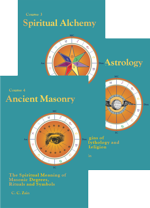
The ancient alchemist sought transmutation and immortality. For the soul to be immortal it must build for itself an imperishable spiritual body in which it can function after the dissolution of both the physical and astral forms. Through the allegorical language of transmutation the ancient alchemists sought to describe the immortality of the soul. The alchemical metals of lead, tin, iron, copper, mercury, silver, and gold are symbols of the many and varied life experiences the soul must undergo in order to build a spiritual body. The mystery of transmutation is revealed through explanations of the Reverberatory Furnace, the Laboratory, the symbolism of Salt, Mercury and Sulphur, The First Matter, the Philosopher’s Stone and the various states of consciousness and techniques for achieving them.
Chapters (serial lesson #):
(49) The Doctrine of Spiritual Alchemy
(5) The Seven Spiritual Metals
(51) Purifying the Metals
(52) Transmutation
(53) Higher Consciousness.
This product is downloadable only.
It is a PDF-format eBook that you can read and search with Adobe Reader. This new eBook contains all of the illustrations, tables and birth charts. It is fully indexed to make searching fast and convenient. Installation instructions for both PC and Mac are included with the downloadable zip file, or see the installation instructions below.
Note:
The Brotherhood of Light PDF-format eBooks are encrypted using FileOpen Publisher3.
To access your eBook after downloading and installing it on your computer, you will have to unlock the eBook using your Registration PDF that will be emailed to you from The Church of Light.
You only have to do this ONCE! Thereafter, any eBook you purchase on our site is automatically registered and ready to use!
You can install this eBook on up to three different computers, but be sure to open the Registration PDF file on each installed computer.
The zip file you download also contains a document entitled “How to Use this eBook” which will help you get the most out of your eBook.
We recommend that you read this document.
How to download your eBook after purchase:
When you purchase your new eBook, you will be sent an email purchase receipt with a link to download your eBook. Just click on the link and save the zip file to your desktop. Your Registration PDF will be emailed separately from The Church of Light.
For Windows users, the download is a zip (compressed) file that contains a setup program (Setup.exe) that will automatically install your eBook and the FileOpen Adobe Reader plug-in on your computer. Then all you have to do is open the Registration PDF that is emailed to you from The Church of Light.
Windows PCInstallation Instructions:
1.If you do not have Adobe Reader on your computer, then go to http://get.adobe.com/reader/ and download and install it.
2.Open the zip file and double-click (run) the Setup.exe program. This will install the eBook and the FileOpen Adobe Reader plug-in.
3.Finally, to unlock your new eBook, open the Registration PDF that was emailed to you from The Church of Light.
MacInstallation Instructions:
1.If you do not have Adobe Reader on your computer, then go to http://get.adobe.com/reader/ and download and install it.
Ancient Masonry– The Spiritual Meaning of Masonic Degrees, Rituals and Symbols
by C. C. Zain
For PC and Mac.
$9.95
This course discusses the rituals and symbols of Freemasonry.
This is an unprecedented work revealing the esoteric and spiritual significance of the symbols of rituals performed in the lodge room.
The astrological significance of Masonic symbolism and their relationship to soul development are thoroughly discussed.
This book provides fascinating insights into the Mysteries, the Temple of Solomon and the saga of Hiram Abiff, symbolizing the soul’s cyclic journey.
This is a must read for those wishing to dig deeper into the western esoteric traditions.
Course 4 in the Brotherhood of Light Study Program
Chapters (Serial Lesson #):
(6) Ancient Masonry Introduction
(7) Entered Apprentice and the Planets
(8) Entered Apprentice and the Signs
(9) Numbers and Opening the Lodge
(10) Initiating a Member
(11) Fellowcraft
(12) Lodge Emblems
(13) Master Mason
(14) Mark Master Mason
(15) Royal Arch
(16) Degrees of the Cross
(17) Ineffable Degrees
(18) Historical Degrees
ISBN 978-0-87887-374-6
This product is downloadable only.
It is a PDF-format eBook that you can read and search with Adobe Reader.
This new eBook contains all of the illustrations, tables and birth charts. It is fully indexed to make searching fast and convenient. Installation instructions for both PC and Mac are included with the downloadable zip file, or see the installation instructions below.
Note:
The Brotherhood of Light PDF-format eBooks are encrypted using FileOpen Publisher3.
To access your eBook after downloading and installing it on your computer, you will have to unlock the eBook using your Registration PDF that will be emailed to you from The Church of Light.
You only have to do this ONCE! Thereafter, any eBook you purchase on our site is automatically registered and ready to use!
You can install this eBook on up to three different computers, but be sure to open the Registration PDF file on each installed computer.
The zip file you download also contains a document entitled “How to Use this eBook” which will help you get the most out of your eBook.
We recommend that you read this document.
How to download your eBook after purchase:
When you purchase your new eBook, you will be sent an email purchase receipt with a link to download your eBook.
Just click on the link and save the zip file to your desktop.
Your Registration PDF will be emailed separately from The Church of Light.
Windows users:
The download is a zip (compressed) file that contains a setup program (Setup.exe) that will automatically install your eBook and the FileOpen Adobe Reader plug-in on your computer. Then all you have to do is open the Registration PDF that is emailed to you from The Church of Light.
Windows PC Installation Instructions:
1. If you do not have Adobe Reader on your computer, then go to http://get.adobe.com/reader/ and download and install it.
2. Open the zip file and double-click (run) the Setup.exe program. This will install the eBook and the FileOpen Adobe Reader plug-in.
3. Finally, to unlock your new eBook, open the Registration PDF that was emailed to you from The Church of Light.
Mac Installation Instructions:
1. If you do not have Adobe Reader on your computer, then go to http://get.adobe.com/reader/ and download and install it.
3. Open the zip file you downloaded to display the contents, or unzip it to a folder of your choice
4. Copy the 21 Brotherhood of Light Courses eBook PDF file to your desktop or other folder of your choice.
You should also copy the file How to Use this eBook, which will help you get the most out of your new eBook.
5. Finally, to unlock your new eBook, open the Registration PDF that was emailed to you from The Church of Light.
The Registration PDF file is attached to the email and entitled "Your BofL eBook Registration Certificate"
There is also a file in the zipped download file entitled “How to Install this eBook on you Mac” with the same installation instructions as above.
More Information
Esoteric Psychology –
Success Through Directed Thinking
by C. C. Zain
For PC and Mac.
$9.95
Of all the energies that influence people, none have a more powerful effect than their own thoughts.
Directing ones thinking is the most potent of all forces to control one’s life and destiny. Commonly, efforts to exercise control are hindered by faulty concepts or repression resulting from environmental conditioning. Whether this conditioning expresses in a subtle way or one that is more obvious, the consequence hinders progress.
Esoteric Psychology contains information which will assist in identifying and eliminating obstacles to progress.
Course 5 in the Brotherhood of Light Study Program
Chapters (Serial lesson #):
(56) Doctrine of Esoteric Psychology
(57) Reason and Intuition
(58) Language and the Value of Dreams
(59) Desire and How to Use It
(60) Why Repression is Not Morality
(61) How to Rule the Stars
(62) How to Apply Suggestion
(63) Correct Use of Affirmations
(64) How to Think Constructively
(65) How to Cultivate Subliminal Thinking
(66) How to Develop Creative Imagination
(67) How to Demonstrate Success.
ISBN 978-0-87887-254-1
This product is downloadable only.
It is a PDF-format eBook that you can read and search with Adobe Reader.
This new eBook contains all of the illustrations, tables and birth charts. It is fully indexed to make searching fast and convenient. Installation instructions for both PC and Mac are included with the downloadable zip file, or see the installation instructions below.
Note:
The Brotherhood of Light PDF-format eBooks are encrypted using FileOpen Publisher3.
To access your eBook after downloading and installing it on your computer, you will have to unlock the eBook using your Registration PDF that will be emailed to you from The Church of Light.
You only have to do this ONCE! Thereafter, any eBook you purchase on our site is automatically registered and ready to use!
You can install this eBook on up to three different computers, but be sure to open the Registration PDF file on each installed computer.
The zip file you download also contains a document entitled “How to Use this eBook” which will help you get the most out of your eBook.
We recommend that you read this document.
How to download your eBook after purchase:
When you purchase your new eBook, you will be sent an email purchase receipt with a link to download your eBook.
Just click on the link and save the zip file to your desktop.
Your Registration PDF will be emailed separately from The Church of Light.
Windows PC Installation Instructions:
1.If you do not have Adobe Reader on your computer, then go to http://get.adobe.com/reader/ and download and install it.
2.Open the zip file and double-click (run) the Setup.exe program. This will install the eBook and the FileOpen Adobe Reader plug-in.
3.Finally, to unlock your new eBook, open the Registration PDF that was emailed to you from The Church of Light.
MacInstallation Instructions:
1.If you do not have Adobe Reader on your computer, then go to http://get.adobe.com/reader/ and download and install it.
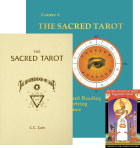
The Sacred Tarot is a favorite of metaphysics students everywhere and companion to The Brotherhood of Light Egyptian Tarot Cards.
This timeless volume draws comparisons between the Tarot and Kabbalah, Astrology, Alchemy, Magic, Numerology, Mystery School Initiation, Bible Study, and Free masonry.
This profusely illustrated book is indexed and contains descriptions for twelve different tarot spreads. Also included is a table of correspondences which draws correlations between the tarot arcanum and herbs, gems, minerals, the Hebrew, Egyptian, and Roman alphabets, numbers, and astrological symbols.
With this book, the student may readily determine the astrological correspondence of any number, name, color, gem or other object.
Course 6 in the Brotherhood of Light Study Program
Chapters(serial lesson #):
(48) Doctrine of Kabalism
(22) Foundation of the Science
(23) Scope and Use of Tarot
(24) Involution and Evolution of Numbers
(25) Reading the Meaning of Numbers
(26) Making an Astrological Chart
(27) Influence of Changing the Name
(28) Reading Names in Detail
(29) The Color of a Name
(30) Natural Talismans and Artificial charms
(31) Chronology of the Tarot
(32) Solution of Ancient Cycles
(33) How to Read the Tarot
ISBN 978-0-87887-255-8
This product is downloadable only.
It is a PDF-format eBook that you can read and search with Adobe Reader.
This new eBook contains all of the illustrations, tables and birth charts. It is fully indexed to make searching fast and convenient. Installation instructions for both PC and Mac are included with the downloadable zip file, or see the installation instructions below.
Note:
The Brotherhood of Light PDF-format eBooks are encrypted using FileOpen Publisher3.
To access your eBook after downloading and installing it on your computer, you will have to unlock the eBook using your Registration PDF that will be emailed to you from The Church of Light.
You only have to do this ONCE! Thereafter, any eBook you purchase on our site is automatically registered and ready to use!
You can install this eBook on up to three different computers, but be sure to open the Registration PDF file on each installed computer.
The zip file you download also contains a document entitled “How to Use this eBook” which will help you get the most out of your eBook.
We recommend that you read this document.
How to download your eBook after purchase:
When you purchase your new eBook, you will be sent an email purchase receipt with a link to download your eBook.
Just click on the link and save the zip file to your desktop.
Your Registration PDF will be emailed separately from The Church of Light.
Windows users:
The download is a zip (compressed) file that contains a setup program (Setup.exe) that will automatically install your eBook and the FileOpen Adobe Reader plug-in on your computer. Then all you have to do is open the Registration PDF that is emailed to you from The Church of Light.
Windows PC Installation Instructions:
1. If you do not have Adobe Reader on your computer, then go to http://get.adobe.com/reader/ and download and install it.
2. Open the zip file and double-click (run) the Setup.exe program. This will install the eBook and the FileOpen Adobe Reader plug-in.
3. Finally, to unlock your new eBook, open the Registration PDF that was emailed to you from The Church of Light.
Mac Installation Instructions:
1. If you do not have Adobe Reader on your computer, then go to http://get.adobe.com/reader/ and download and install it.
3.Open the zip file you downloaded to display the contents, or unzip it to a folder of your choice
4.Copy the 21 Brotherhood of Light Courses eBook PDF file to your desktop or other folder of your choice.
You should also copy the file How to Use this eBook, which will help you get the most out of your new eBook.
5.Finally, to unlock your new eBook, open the Registration PDF that was emailed to you from The Church of Light.
The Registration PDF file is attached to the email and entitled "Your BofL eBook Registration Certificate"
There is also a file in the zipped download file entitled “How to Install this eBook on you Mac” with the same installation instructions as above.
More Information
Spiritual Astrology –
The Origins of Astro-Mythology and Stellar Religion
by C. C. Zain
For PC and Mac.
$9.95
The enlightened ones of ancient times sought to interpret the word of God in the starry script of the heavens.
The ancient Egyptians and Chaldeans identified 48 constellations as possessing key spiritual significance.
This volume traces the relationship of astrology to mythology, folklore, scripture, and the origin of religious holidays.
Spiritual Astrology explains the connections and deeper meanings of the tarot to the 10 degree astrological Decanates.
Course 7 in the Brotherhood of Light Study Program
Chapters (Serial lesson #):
(71) Our Spiritual Legacy
72) The Foundation of Youth
(73) Knights of King Arthur
(74) Story of the Three Bears
(75) The Ladder to Heaven
(76) Is there a Santa Claus
(77) Why Eve Was Tempted
(78) The Marriage in Heaven
(79) The Scorpion and the Eagle
(80) The Bow of Bright Promise
(81) News From the Summerland
(82) In the Reign of Aquarius
(83) The Tree of Life
"The esoteric messages of the Minor Arcana of the Brotherhood of Light deck remain forever a mystery without this wonderful book." Allyn McCray, Church of Light Hermetician and Certified Teacher.
ISBN 978-0-87887-377-7
This product is downloadable only.
It is a PDF-format eBook that you can read and search with Adobe Reader.
This new eBook contains all of the illustrations, tables and birth charts. It is fully indexed to make searching fast and convenient. Installation instructions for both PC and Mac are included with the downloadable zip file, or see the installation instructions below.
Note:
The Brotherhood of Light PDF-format eBooks are encrypted using FileOpen Publisher3.
To access your eBook after downloading and installing it on your computer, you will have to unlock the eBook using your Registration PDF that will be emailed to you from The Church of Light.
You only have to do this ONCE! Thereafter, any eBook you purchase on our site is automatically registered and ready to use!
You can install this eBook on up to three different computers, but be sure to open the Registration PDF file on each installed computer.
The zip file you download also contains a document entitled “How to Use this eBook” which will help you get the most out of your eBook.
We recommend that you read this document.
How to download your eBook after purchase:
When you purchase your new eBook, you will be sent an email purchase receipt with a link to download your eBook.
Just click on the link and save the zip file to your desktop.
Your Registration PDF will be emailed separately from The Church of Light.
Windows users:
The download is a zip (compressed) file that contains a setup program (Setup.exe) that will automatically install your eBook and the FileOpen Adobe Reader plug-in on your computer. Then all you have to do is open the Registration PDF that is emailed to you from The Church of Light.
Windows PC Installation Instructions:
1. If you do not have Adobe Reader on your computer, go to http://get.adobe.com/reader/ and download and install it.
2. Open the zip file and double-click (run) the Setup.exe program. This will install the eBook and the FileOpen Adobe Reader plug-in.
3. Finally, to unlock your new eBook, open the Registration PDF that was emailed to you from The Church of Light.
Mac Installation Instructions:
1. If you do not have Adobe Reader on your computer, go to http://get.adobe.com/reader/ and download and install it.
3. Open the zip file you downloaded to display the contents, or unzip it to a folder of your choice
4. Copy the 21 Brotherhood of Light Courses eBook PDF file to your desktop or other folder of your choice.
You should also copy the file How to Use this eBook, which will help you get the most out of your new eBook.
5. Finally, to unlock your new eBook, open the Registration PDF that was emailed to you from The Church of Light.
The Registration PDF file is attached to the email and entitled "Your BofL eBook Registration Certificate"
There is also a file in the zipped download file entitled “How to Install this eBook on you Mac” with the same installation instructions as above.